Waltz and Jam System Requirements (PC)
Official Steam minimum and recommended specs so you know if Downtown will run before December 3, 2026.
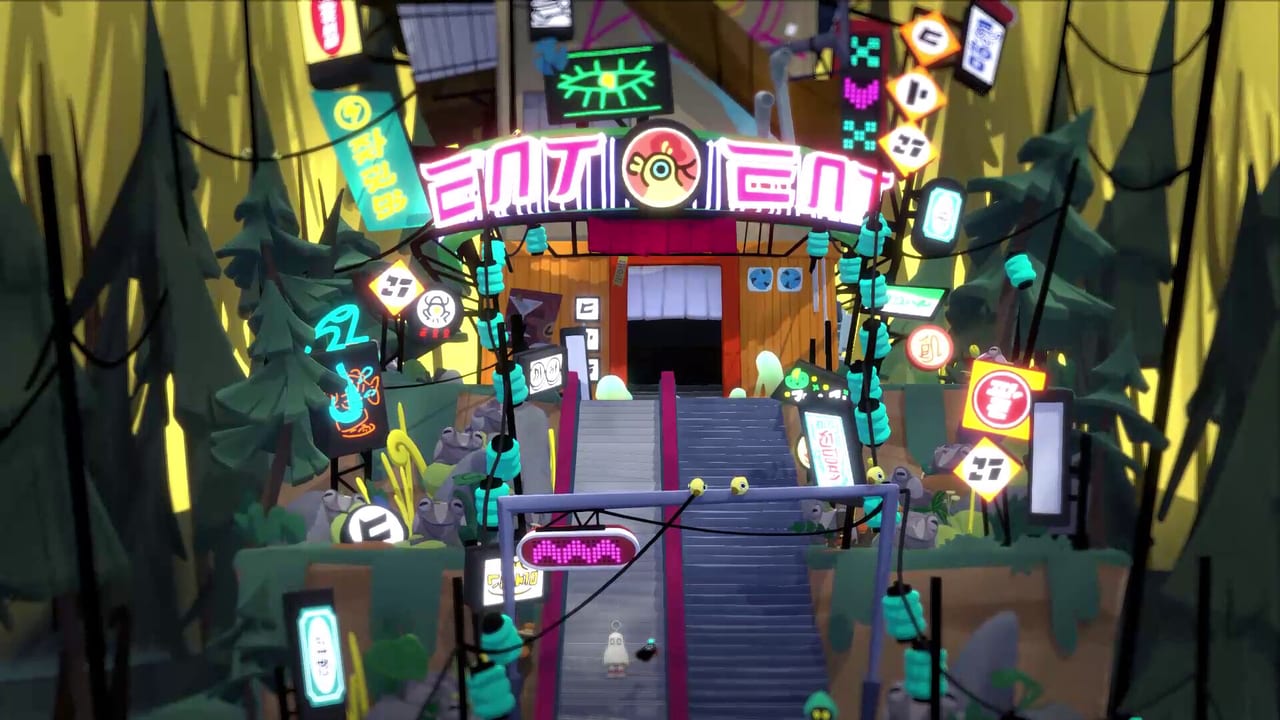
Waltz and Jam targets approachable PC hardware for a colorful, hand-drawn action-adventure platformer—but you should still verify the official Steam tables before launch day. This page mirrors the storefront listing for app 2686570, explains how the demo relates to full-game needs, and points you to platform alternatives if your rig falls short. Pair with platforms and the release date overview.
Official Steam requirements
Minimum
| Component | Spec |
|---|---|
| OS | Windows 10 / 11 |
| Processor | Intel Core i5-6500 or AMD Ryzen 3 1200 |
| Memory | 8 GB RAM |
| Graphics | NVIDIA GTX 1050 or AMD RX 560 |
| Storage | 7 GB available space |
Recommended
| Component | Spec |
|---|---|
| OS | Windows 10 / 11 |
| Processor | Intel Core i7-6700 or AMD Ryzen 5 1500X |
| Memory | 8 GB RAM |
| Graphics | NVIDIA RTX 2070 or AMD RX 6600 |
| Storage | 7 GB available space |
Both tiers list 8 GB RAM and 7 GB disk. The jump from minimum to recommended is mostly CPU generation / core performance and GPU headroom for higher settings, resolution, and smoother frame pacing in denser realms or boss arenas.
How to read these numbers
Minimum means the game should launch and be playable at reduced settings—expect compromises on shadows, effects, or resolution if you sit exactly on a GTX 1050-class card. Recommended targets a more comfortable experience on mid-high 1080p (and better) setups with modern features enabled. Steam does not publish a separate 4K table here; if you chase high refresh at 1440p/4K, treat recommended as a floor and monitor day-one community benchmarks after December 3.
Storage at 7 GB is modest by 2026 standards, but leave extra free space for Windows updates, shader caches, and optional Digital Artbook / Soundtrack DLC downloads. Depot sizes on tracking sites have hovered near the multi-gigabyte range for the main build—always trust the live Steam installer estimate on your account.
Demo parity
The Steam demo (separate demo app) has used the same class of requirements as the full game in public listings. That makes the demo the best pre-purchase stress test: if Downtown’s opening hour stutters on your laptop at minimum settings, plan a hardware upgrade—or play on PS5 / Switch 2 instead. See the demo guide for what the trial includes and Getting Started for first-hour goals once it runs smoothly.
CPU notes
- i5-6500 / R3 1200 are mid-2010s quad-core parts. They clear the minimum bar but leave little headroom if Discord, browsers, and overlays eat cores.
- i7-6700 / R5 1500X improve sustained clocks and multitasking comfort.
- Newer CPUs that outperform these examples are fine—Steam’s list is a floor, not a whitelist. Prioritize single-thread strength and adequate cooling for longer puzzle/exploration sessions.
GPU notes
- GTX 1050 / RX 560 are entry cards. Cap frame rate, lower post-processing, and consider 1080p or below if hitching appears in busy set pieces.
- RTX 2070 / RX 6600 represent a comfortable recommended band for prettier presets.
- Laptop GPUs with similar names often run slower—compare TGP and thermals, not marketing labels alone.
- Steam Deck appeared at G-STAR 2026 demo stations; official Deck verification badges can change—check the Steam page’s Deck section for the latest status rather than assuming desktop min specs equal handheld perfection.
Memory, OS, and storage hygiene
Keep Windows 10/11 patched. With only 8 GB listed, close heavy Chrome profiles before playtesting. Install to an SSD when possible for faster streaming of hand-drawn assets and shorter load pops between Downtown hubs and sin realms. Cloud saves (Steam Cloud) help if you move between PCs, but local disk still needs the full install footprint.
Controllers and performance
Steam lists full controller support and recommends a gamepad. Playing with DualSense / Xbox pads does not change CPU/GPU requirements, but wireless adapters and RGB suites can add background load—disable extras if you are GPU-bound on minimum hardware. Console players can skip this page’s GPU math and jump to platforms.
Pre-flight checklist
- Compare your CPU/GPU to the tables above.
- Confirm 7 GB+ free on the target drive (more if you also grab Artbook/Soundtrack DLC later).
- Download the demo when available and run a 20–30 minute session with overlays off.
- Update GPU drivers; verify Windows Game Mode / fullscreen exclusivity if stuttering.
- Wishlist the full game on Steam so December 3 unlocks cleanly—release date.
- If PC is out of reach, plan PS5 or Switch 2 via platforms and Official Links.
After launch
Day-one patches may tweak streaming, shader compilation, or crash edges. Watch Updates for performance notes. Community FPS charts will refine “sweet spot” settings for 60 / 120 Hz monitors; we will fold durable advice back into this page without inventing unverified numbers.
Waltz and Jam is a single-player journey—your only partner is Jam inside the campaign. Specs exist so that partnership feels smooth: puzzles readable, trampoline jumps crisp, boss telegraphs fair. Verify the machine, then enjoy Downtown.
Related: Tools Hub · Platforms · Demo Guide · Trailers · Wiki Links.
Frequently Asked Questions
Quick answers about Waltz and Jam, the demo, and launch platforms.
How much storage does Waltz and Jam need?
Steam lists 7 GB available space for both minimum and recommended configurations. Leave extra room for updates and optional DLC.
Is 8 GB of RAM enough?
Yes—both Steam tiers list 8 GB. Close background apps on minimum PCs for best results.
Do the demo and full game share requirements?
Public listings use the same requirement class. The demo is the best way to validate your PC before December 3.
What if my PC is below minimum?
Consider PlayStation 5 or Nintendo Switch 2 instead—see platforms—or upgrade GPU/CPU before purchase.
Are Mac or Linux officially listed?
The Steam requirements block published for the game focuses on Windows 10/11. Do not assume native Mac/Linux support without a storefront change.